

Confirm a match score
What to do when someone logs a result you played in, and what happens if nobody confirms it.
Works today
When someone logs a match you played in, it lands in your feed as unconfirmed. Until enough people agree it happened the way it was written down, it barely counts.
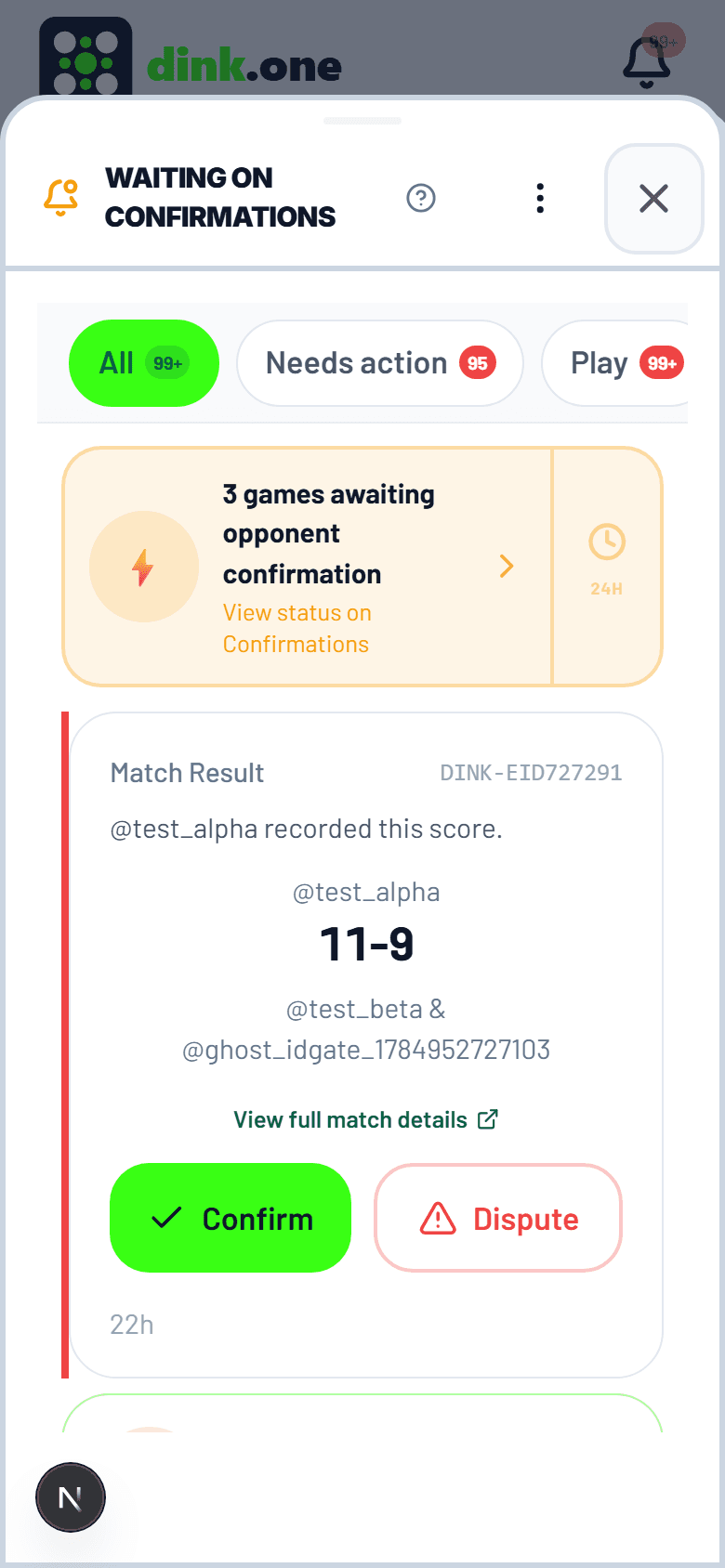
Confirming a result
- Open the match from your feed, or from the confirmations list.
- Check the line-up and the game scores line by line. Who was on which side matters as much as the numbers.
- Tap Confirm. If something's wrong, tap Dispute instead — don't confirm and complain later.
- Once enough participants confirm, the match counts at full weight and everyone's d1R updates.
Why confirmation matters
- A self-reported result carries almost no weight. A confirmed one carries close to full weight. That gap is the whole anti-inflation mechanism.
- Disputing freezes the result and tells the organizer. Nothing moves until a human looks at it.
- Your opponents see the same screen you do. Nobody gets a private version of the score.
Common questions
The score is wrong. What do I do?
Tap Dispute rather than Confirm. The result freezes, the organizer is notified, and it stays out of everyone's d1R until it's sorted.
I can't see a Confirm button.
That usually means you're not listed as one of the players. Ask whoever logged it to check the line-up — being in the wrong slot is the common cause.
My partner never confirms anything.
League matches confirm on their own after a couple of days, so a quiet player can't stall a season. Casual matches keep waiting, which is why a nudge in chat is usually faster than waiting it out.